
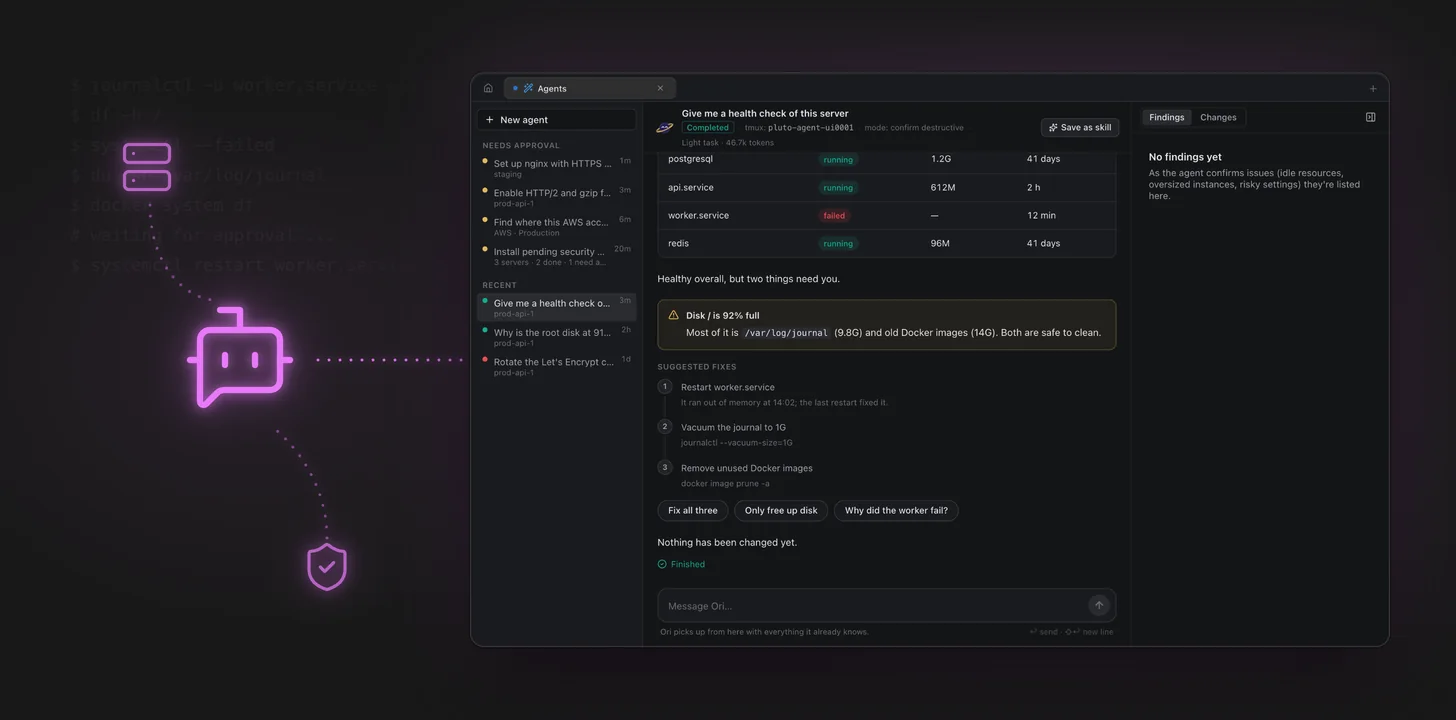
Most server problems start the same way. Something is slow, a service is down, or a disk is filling up, and you open a terminal and start typing the same handful of commands: systemctl --failed, df -h, journalctl -u ..., docker system df. Twenty minutes later you know what is wrong, and then you still have to fix it.
Ori is the agent built into Pluto Door that does that first part for you. You describe the problem in plain words, Ori connects to the server over SSH, reads what it needs, and comes back with an answer. When something needs changing, it asks you first.
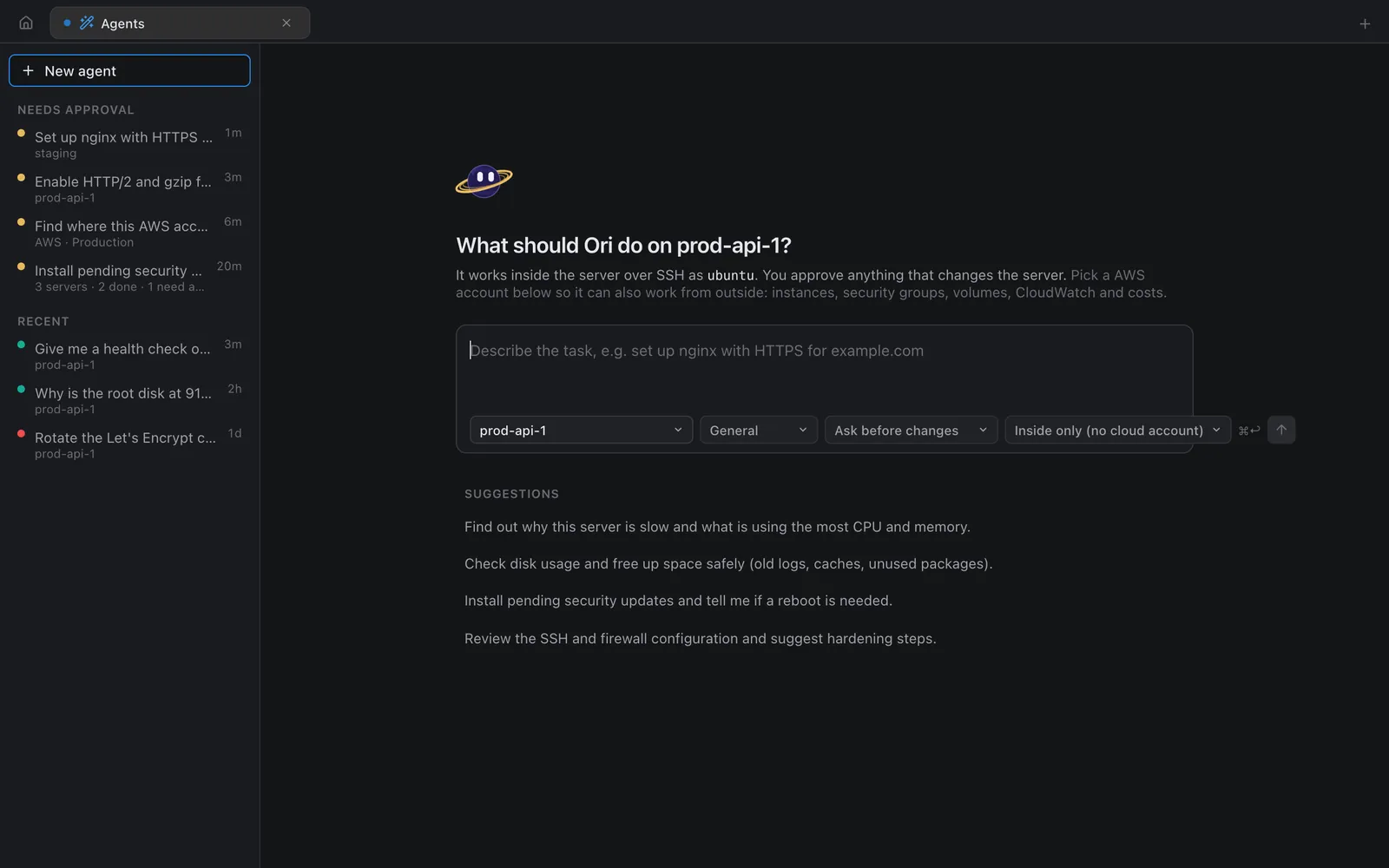
What Ori actually does
Ori works inside one server at a time, as the SSH user you connect with. It can run commands, read log files, look at services and packages, and read or edit config files. Everything it does goes through the same SSH connection you already use in Pluto Door.
You can start with something as vague as:
Give me a health check of this server
or something specific:
Why is the root disk at 91%? Free up space safely, but don't touch /srv.
The worker keeps restarting. Find out why.
Set up nginx with HTTPS for staging.example.com
Ori decides which commands to run, runs them, reads the output and keeps going until it has an answer. A health check on a typical Ubuntu box looks something like this behind the scenes:
uptime
free -h
df -h /
systemctl --failed
journalctl -u worker.service --since "1 hour ago" --no-pager
du -sh /var/log/journal
docker system df
You don't have to read any of it, but you can.
Every step is visible
Each command Ori runs shows up in the conversation as a step: the exact command, how long it took, and whether it worked. Steps are grouped, so a run of ten read-only commands collapses into one line you can expand when you want the details.
Nothing happens off screen. If Ori reads /etc/nginx/nginx.conf, you see that it read it. If a command fails, you see the failure and what Ori did next. This matters more than it sounds: when an agent says "your disk is full because of the journal", you want to be able to check how it knows.
Answers you can scan
Ori doesn't reply with a wall of text. When the answer is a list of services, you get a table with status, memory and uptime. When something needs attention, it gets its own callout. Suggested fixes come as numbered steps with the exact command next to each one.
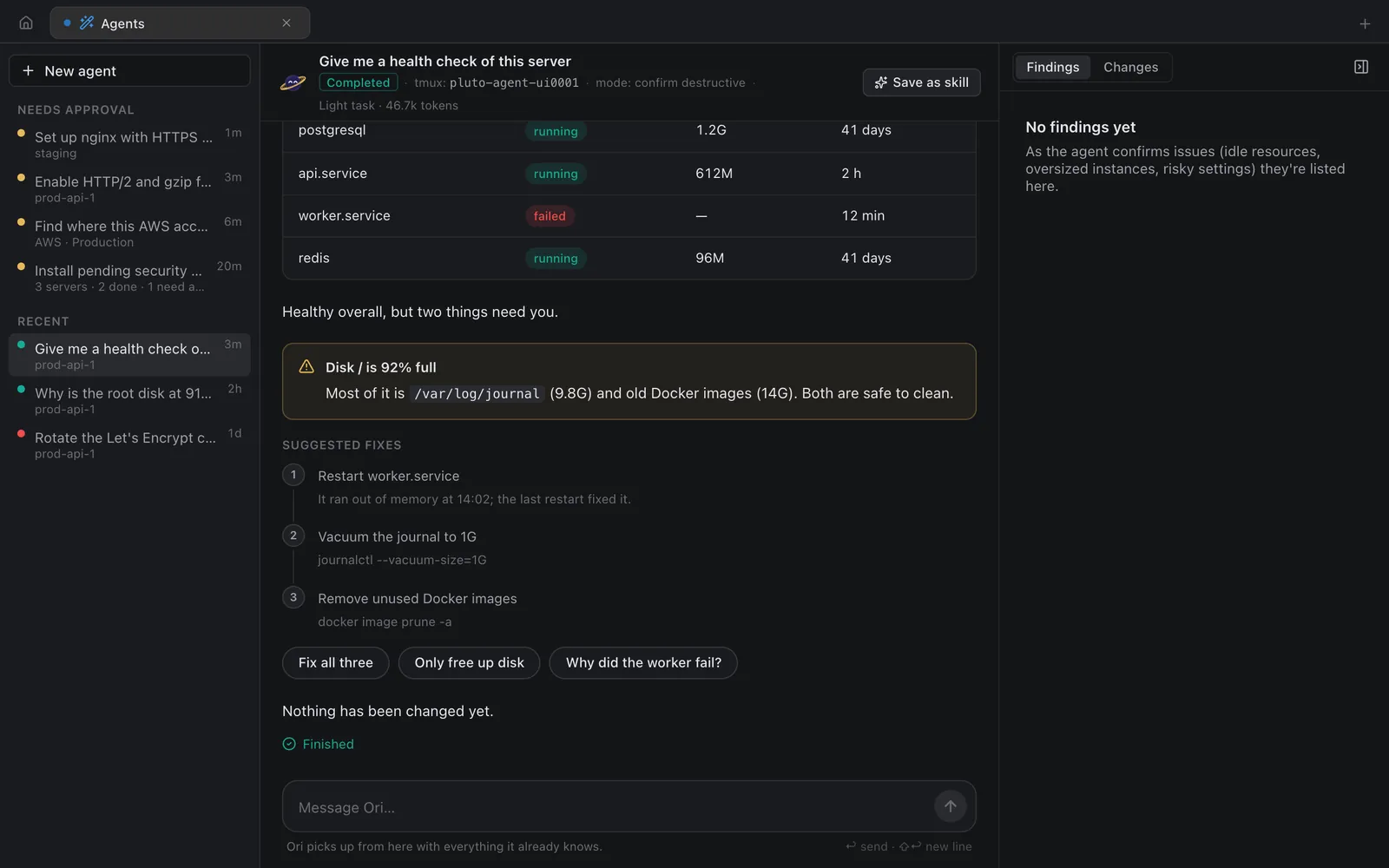
In the example above, Ori found that worker.service failed after running out of memory and that / was 92% full, mostly from /var/log/journal (9.8G) and old Docker images (14G). It suggested three fixes:
- Restart
worker.service - Vacuum the journal with
journalctl --vacuum-size=1G - Remove unused images with
docker image prune -a
Under the fixes are buttons for the obvious next moves, like Fix all three, Only free up disk or Why did the worker fail?. And the last line says what matters most: nothing has been changed yet.
Plans you approve once
For a job with several changes, like setting up nginx with a certificate, approving every single command gets tedious fast. So Ori writes a plan first and asks you to approve it as a whole.
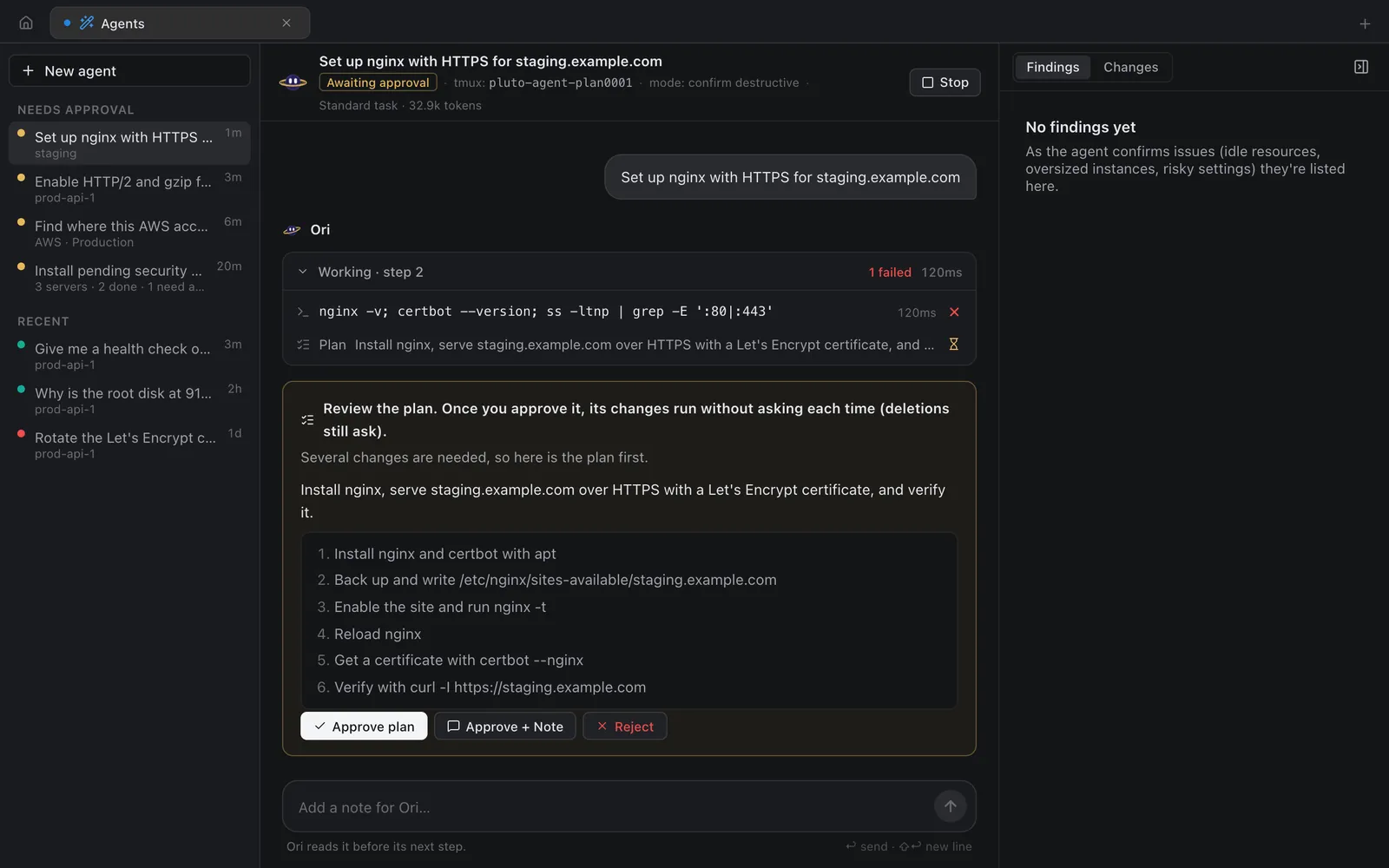
The plan lists each step in plain language: install nginx and certbot, back up and write /etc/nginx/sites-available/staging.example.com, run nginx -t, reload, get a certificate with certbot --nginx, then verify with curl -I. You can Approve plan, Approve + Note to add an instruction ("use port 8080 for the upstream"), or Reject.
Once you approve, the steps in the plan run without asking each time. Deletions still stop and ask.
Destructive commands stop for approval
Every command Ori proposes is checked before it runs. Pluto Door looks at the program actually being run, past wrappers like sudo, env or xargs, and flags anything that deletes, overwrites or restarts things.
You pick how careful Ori should be when you start a task:
- Ask before changes (the default): reading is automatic, anything that changes the server waits for you
- Ask before every step: you approve each command, including reads
- Run without asking: for throwaway machines and routine work you trust
Commands that could take the server offline or lock you out of SSH, like a recursive delete on /etc, stopping sshd, a reboot, or a firewall rule that drops traffic, always stop for approval, whatever mode you picked.
When Ori is waiting on you, the run moves to Needs approval in the sidebar, so you can start a few tasks on different servers and come back to them.
Undo for file changes
Before Ori edits a file on the server, it keeps a copy. The Changes tab lists every file the run created or edited, and you can undo one file or all of them at once. If the new nginx config turns out to be wrong, you get the old one back without digging through backups.
Your own key, billed at cost
Ori runs on your own Claude or OpenAI API key. You paste the key into Pluto Door's settings once and it's stored in the macOS Keychain. Requests go from your Mac to the provider you picked, and you pay that provider directly at their normal rates, with no markup from us.
The run header shows how many tokens a task used, so a quick health check ("light task, 46.7k tokens") and a long setup job are easy to tell apart.
When to reach for Ori
Ori is most useful for the work that's tedious rather than hard:
- Working out why a server is slow or a service keeps failing
- Freeing disk space without deleting the wrong thing
- Setting up a common stack (nginx, certificates, a database) on a fresh box
- Installing security updates and checking whether a reboot is needed
- Reviewing SSH and firewall settings and suggesting hardening steps
You can still open a terminal next to it at any time. Ori doesn't replace knowing your servers; it saves you the typing and the looking up.
Try Ori
Ori is part of Pluto Door for macOS. You can try all of it free for 14 days, no card needed. After that, Pluto Door is $4.99 a month, $49.99 a year, or $59 once for a lifetime license. If you bought Pluto Door before, the update is free.
Download Pluto Door, connect a server, and ask Ori for a health check. It's a good way to see what it reads before you let it change anything.